Running best local video AI 2026 models on consumer hardware is rarely straightforward. You download a model, follow the official workflow, and hit one of three outcomes: it works flawlessly, crashes with a cryptic error, or produces output so soft or distorted you wonder if something failed partway through.
I spent one extended testing session in early 2026 running five different video generation and manipulation tasks back-to-back on the same RTX 3090 machine (24GB VRAM, 32GB system RAM, ComfyUI v0.27.0). What emerged wasn’t a clean winner-take-all ranking—instead, hard patterns about what actually works on this hardware, what breaks and why, and critical findings that contradict earlier assumptions about quantization stability.
At a Glance: Model Comparison
| Model | Task | Success | Peak VRAM | Runtime | Best For |
|---|---|---|---|---|---|
| LTXV-2.3 distilled | Text-to-video + audio | ✅ 1/1 | 22.9GB | 463s | Generating video from text prompts |
| LTXV-2.3 dev | Text-to-video + audio | ❌ 0/4 | N/A | Crashed | Not recommended on 24GB |
| SCAIL-2 | Character replacement | ✅ 1/1 | 15.9GB | 571s | Replacing people in existing footage |
| Wan 2.1 I2V | Image-to-video | ✅ 1/1 | ~20.1GB | 1,210s | Animating still images (softer output) |
| Wan 2.2 I2V | Image-to-video | ✅ 1/1 | ~16GB | 1,083s | Animating still images (sharper output) |
The Five Tests: Setup and Results
All tests ran in isolation—full ComfyUI restart between each one to avoid memory fragmentation artifacts. For LTXV-2.3 distilled, I generated a ~10-second, 1920×1024 video with synchronized audio: a woman boxer working a heavy bag in a dim gym at night, based on a detailed cinematic prompt describing the scene and its ambient sound. SCAIL-2 took the first frame of that output as the driving video and replaced the person with a freshly generated reference character. The Wan tests animated that same first frame using both Wan 2.1 and Wan 2.2’s architectures.
LTXV-2.3 Distilled: The Baseline
LTXV-2.3 distilled shipped with a working, official ComfyUI workflow that required zero modification to run. Completed in 463 seconds (7m43s), it produced a coherent video with synchronized audio. Peak VRAM hit 22,914MB—leaving about 1GB headroom on the 24GB card.
The official workflow contained two real bugs unrelated to the model itself: a folder-scanning issue in the LTXVAudioVAELoader node and a stale custom node pack reference. Both took minutes to fix once identified. The workflow also triggered a “Could not load subgraphs” toast in the ComfyUI UI at startup, but execution proceeded without interruption.
The actual 463-second output from this test, unedited.
💡 Tip: LTXV-2.3 distilled is stable for text-to-video on RTX 3090—expect 7–8 minutes per ~10-second clip with synchronized audio.
LTXV-2.3 Dev: The Failure Pattern
The non-distilled LTXV-2.3 dev model was loaded via ComfyUI-GGUF’s UnetLoaderGGUF node, tried across both Q8_0 and Q6_K GGUF quantizations. All four attempts failed identically: the workflow progressed through text encoding and initial sampling, then crashed during VAE loading with a system RAM out-of-memory error. VRAM itself never became the bottleneck—the error originated in system RAM, confirmed via journalctl -k inspection of kernel logs:
kernel: Out of memory: Killed process 14042 (python3) total-vm:150768544kB, anon-rss:3138148kB ...
kernel: oom_reaper: reaped process 8468 (python3)
That’s the actual kernel log from the second attempt (Q6_K, 17.77GB, loaded fully into VRAM with no CPU offload)—which ruled out the offload hypothesis: the crash happened at the exact same point (VideoVAE loading) even with the model fully resident on the GPU. There’s no video for this one; the process never made it that far.
This failure pattern contradicts the narrower hypothesis from earlier LTXV-2.3 dev testing. That article raised a reasonable question: does GGUF loading via UnetLoaderGGUF introduce instability? The evidence from this broader ComfyUI video model comparison test session suggests the answer is more nuanced (see the GGUF hypothesis section below).
⚠️ Important: Avoid LTXV-2.3 dev on 24GB VRAM machines—the system RAM OOM during VAE loading is reproducible and unresolved.
SCAIL-2: Character Replacement Without Custom Nodes
SCAIL-2 completed in 571 seconds and produced visually clean character replacement in the LTXV-generated footage. What stood out most was the loading path: it used standard ComfyUI nodes (UNETLoader and CheckpointLoaderSimple) with .safetensors files, requiring zero custom node packs beyond ComfyUI’s built-in set.
Peak VRAM consumption was ~15,881MB for the main model. The official workflow shipped with two real bugs: a VAE filename mismatch (the template referenced a file that didn’t download with the model package) and an incorrect LoRA subfolder path. Like LTXV-2.3, it also triggered the “Could not load subgraphs” toast, which again had no impact on execution.
The actual character-replacement output from this test, unedited.
💡 Tip: SCAIL-2 is the proven choice for character replacement and requires no custom nodes—the simplest setup of any model tested.
Wan 2.1 I2V vs. Wan 2.2 I2V: Image Animation Comparison
| Aspect | Wan 2.1 I2V | Wan 2.2 I2V |
|---|---|---|
| Architecture | Single-model | Dual-model MoE (HighNoise + LowNoise) |
| Peak VRAM | ~20.1GB (13.7GB model + 6.4GB encoder) | ~16GB (9.3GB per model + 6.4GB encoder, only one model resident at a time) |
| Runtime | 1,210s (20m10s) | 1,083s (18m3s) |
| Output Quality | Softer, dampened motion | Sharper, more decisive motion |
| Loading Method | UnetLoaderGGUF (.gguf) | UnetLoaderGGUF x2 (.gguf) |
| Success Rate | ✅ 1/1 | ✅ 1/1 |
Wan 2.1 I2V animated the first frame of the LTXV output video but produced visibly softer output—the punching bag lost edge definition and motion felt dampened.
Wan 2.1 I2V output from this test, unedited—notice the softer edges on the moving figure.
Wan 2.2 I2V repeated the identical test using its new dual-model Mixture of Experts (MoE) architecture: a HighNoise model handles the early denoising steps and a LowNoise model handles the later refinement steps, chained via two KSamplerAdvanced nodes.
Wan 2.2 I2V output from the same first frame, unedited—compare edge definition against the Wan 2.1 clip above.
Despite running two models, Wan 2.2 completed 137 seconds faster (1,083s vs. 1,210s) and produced noticeably sharper output: the punching bag retained edge definition across frames and motion was more decisive.
💡 Tip: Wan 2.2 I2V outperforms Wan 2.1 I2V in both speed and quality—upgrade if you’re currently using Wan 2.1 for image animation.
The GGUF Loading Hypothesis: Revised
The earlier LTXV-2.3 dev article concluded that UnetLoaderGGUF might be inherently unstable for large models. This ComfyUI video generation benchmark test series provides stronger evidence that the instability is more specific.
Across five total tests:
- LTXV-2.3 dev via GGUF: 0/4 successful (system RAM OOM, always at VAE loading)
- Wan 2.1 I2V via GGUF: 1/1 successful
- Wan 2.2 I2V via GGUF (dual-model): 1/1 successful
Three successful GGUF-loaded runs now outnumber the failures. SCAIL-2’s success with a non-GGUF loader (standard .safetensors) was one data point suggesting GGUF might be the culprit, but the Wan data contradicts that conclusion.
The more likely cause is something specific to LTXV-2.3 dev’s pipeline: the two-stage sampling with a spatial latent upscale between stages, or an interaction between that workflow and the GGUF quantization of that particular model. Until this specific model-workflow combination is debugged further, avoid it on 24GB VRAM / 32GB system RAM machines. But don’t assume GGUF loading is broken—Wan 2.1 and 2.2 prove it can work reliably.
Quantization Choices Matter on Ampere
Every model tested in this series used a quantization variant specifically chosen for RTX 3090 (Ampere architecture):
- LTXV-2.3 distilled: mxfp8_block32 (avoiding native FP8 matmul support, which only arrived with Ada/Hopper/Blackwell)
- SCAIL-2: int8_convrot (using Ampere’s native INT8 tensor cores directly)
- Wan 2.1 and 2.2: GGUF K-quants (Q6_K and Q4_K_M respectively — chosen mainly to fit VRAM budget, not specifically an Ampere-targeted format like the other two)
This is a recurring pattern for 2026-era local AI video RTX 3090 deployments. If a model offers multiple quantization variants, don’t assume the default will work well—check whether an Ampere-specific option exists. The performance and stability differences are real.
Workflow Template Bugs Are Predictable
Every official or community workflow template in this series shipped with at least one real bug unrelated to model quality:
- LTXV-2.3: folder-scanning bug in LTXVAudioVAELoader, stale custom node reference
- SCAIL-2: VAE filename mismatch, LoRA subfolder path issue
- Wan 2.1 and 2.2: no pre-built templates tested (hand-assembled from official node types), so no template bugs, but this pattern holds broadly
The pattern is strong enough to state plainly: if you’re testing a model released in the last few weeks, expect to debug the workflow JSON itself. Don’t assume the official template is production-ready. Look for filename mismatches, incorrect node references, and folder path issues before assuming the model itself is broken.
📌 Keep in mind: The “Could Not Load Subgraphs” toast appeared during startup for LTXV-2.3, SCAIL-2, and Wan 2.2, but had zero correlation with actual blocking failures. Once underlying model or filename issues were fixed, execution proceeded normally. Treat this as cosmetic noise in ComfyUI v0.27.0 and look elsewhere for real problems: console errors, validation failures, and system resource warnings.
Speed, Task Type, and the Absence of a Clear Winner
Runtime ranged from 463 seconds (LTXV distilled, fastest) to 1,210 seconds (Wan 2.1 I2V, slowest successful run)—a 2.6x spread. Speed alone doesn’t determine utility, though.
LTXV-2.3 distilled is the fastest and most stable for generating a scene from scratch. SCAIL-2 is the only proven choice for character replacement in existing footage. Wan 2.2 I2V produced sharply better output than Wan 2.1 I2V in an identical test, though the specific cause (architecture improvement vs. quantization difference) wasn’t isolated.
Picking a single “best overall” tool across these five would be misleading because they solve different problems. The value of running all five back-to-back on identical hardware is seeing which tools are stable, which fail, and which produce output quality differences you can actually see.
🏆 Our Recommendation
If you’re generating video from text prompts → go with LTXV-2.3 distilled. It’s the fastest, most stable, and ships with official ComfyUI support. Expect 7–8 minutes per ~10-second clip.
If you’re replacing characters in existing footage → go with SCAIL-2. It’s the only proven choice for this task and requires zero custom nodes, making setup simpler than any other model tested.
If you’re animating still images → go with Wan 2.2 I2V. It outperforms Wan 2.1 in both speed (137 seconds faster) and output sharpness, and uses less peak VRAM despite running dual models.
If you have an RTX 3090, avoid LTXV-2.3 dev entirely—the system RAM OOM is reproducible and unresolved. Stick with the distilled version.
FAQ
Q: Which local video AI model is best for an RTX 3090 in 2026?
A: There’s no single winner—it depends on the task. LTXV-2.3 distilled is the proven choice for generating video from a text prompt. SCAIL-2 is the proven choice for replacing a person in existing footage, and needs zero custom nodes. Wan 2.2 I2V is the proven choice for animating a still image, outperforming Wan 2.1 I2V in a direct same-input test.
Q: Is loading a model via ComfyUI-GGUF’s UnetLoaderGGUF unstable?
A: Not as a blanket rule. Across five tests on this hardware, three GGUF-loaded runs (Wan 2.1 I2V, Wan 2.2 I2V x2) completed successfully with no issues, while only LTXV-2.3’s dev model crashed reproducibly (4/4) via the same loader type. The crash is more likely specific to that model’s particular two-stage pipeline than to GGUF loading in general.
Q: Does the ‘Could not load subgraphs’ ComfyUI error mean a workflow is broken?
A: Not necessarily. Across the three official templates tested in this series (LTXV-2.3, SCAIL-2, Wan 2.2), this toast appeared every time, but never once actually correlated with a real blocking failure once underlying model/filename issues were fixed. Treat it as cosmetic in this ComfyUI version and look at console errors for real problems.
Q: Can I run LTXV-2.3 dev on a 24GB card if I reduce batch size?
A: Not based on this test. The failure occurred during VAE loading, which isn’t typically affected by batch size settings. The OOM was in system RAM, not VRAM. Reducing batch size or enabling memory-efficient attention might help, but the root cause (something about the GGUF quantization of that specific model’s pipeline) remains unidentified. Stick with the distilled version on this hardware.
Q: Why is Wan 2.2 I2V faster than Wan 2.1 I2V if it runs two models?
A: Unclear from this testing. Wan 2.2 also used a smaller quantization (Q4_K_M vs. Wan 2.1’s Q6_K), which is a plausible contributor, but this test didn’t isolate quantization from architecture as the cause. Dynamic loading means the two models aren’t both resident at once, which limits the loading overhead, but the exact mechanism behind the speed difference wasn’t traced.
Q: Do I need to install custom node packs for SCAIL-2?
A: No. SCAIL-2 is the only model tested that used only native ComfyUI nodes. LTXV, Wan, and most other video models require at least 2–3 custom node packs (ComfyUI-KJ, ComfyUI-GGUF, etc.). This makes SCAIL-2 simpler to set up, though it also means fewer configuration options for advanced users.
Q: Which quantization should I use for my RTX 3090?
A: Check whether the model offers an Ampere-specific variant before using the default. mxfp8_block32, int8_convrot, and GGUF K-quants all worked reliably in this test. FP8 native matmul (the default on many newer models) is designed for Ada and newer architectures and may perform poorly on a 3090.
Keep Reading
Each test in this comparison has its own dedicated article with full setup details, real screenshots, and downloadable workflows: LTXV-2.3 + RTX Super Resolution, LTXV-2.3 dev-model OOM investigation, SCAIL-2 character replacement, Wan 2.1 I2V, and Wan 2.2 I2V. If GGUF quantization is unfamiliar, our GGUF models in ComfyUI guide explains the trade-offs.
Explore the Rest of the Wan / LTX / HunyuanVideo Cluster
These five tests are just the starting point. Each model and each head-to-head has its own dedicated article, with more parameters, troubleshooting, and full workflows:
Wan 2.1 and 2.2
- Wan 2.2 in ComfyUI: image-to-video — dual-model MoE architecture, VRAM requirements, and real output.
- Wan 2.2 vs HunyuanVideo — which one generates better complex human motion depending on the VRAM you have available.
LTX 2.3
- LTX Director in ComfyUI — we tested the community timeline node on LTXV-2.3 distilled and documented 2 real bugs, one version-related and one code-related.
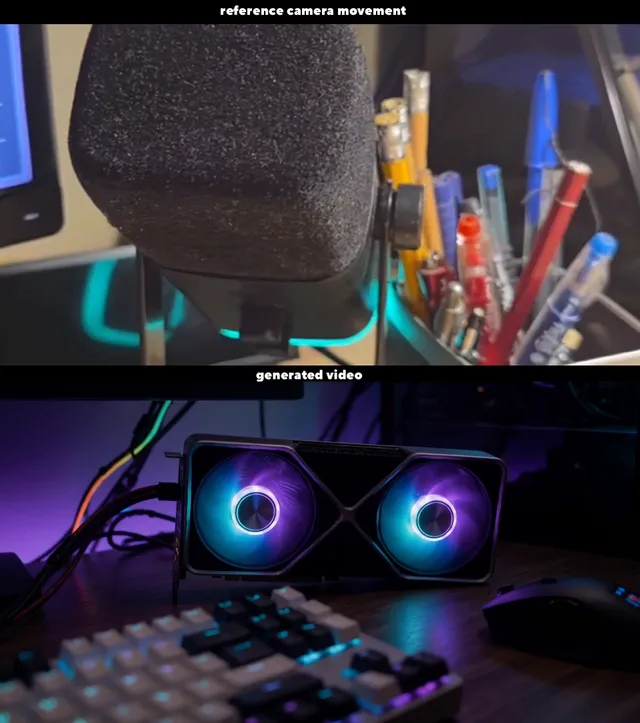
- Camera Movement Transfer with IC-LoRA Cameraman v2 — how to copy only the camera movement from a reference video onto LTX 2.3, without touching the generated content.
HunyuanVideo
- HunyuanVideo 1.5 in ComfyUI — real install of the I2V 480p step-distilled variant and the generation time on this same RTX 3090.
Next steps in ComfyUI
Getting started
FAQ
- Which local video AI model is best for an RTX 3090 in 2026?
- There's no single winner -- it depends on the task. LTXV-2.3 distilled is the proven choice for generating video from a text prompt. SCAIL-2 is the proven choice for replacing a person in existing footage, and needs zero custom nodes. Wan 2.2 I2V is the proven choice for animating a still image, outperforming Wan 2.1 I2V in a direct same-input test.
- Is loading a model via ComfyUI-GGUF's UnetLoaderGGUF unstable?
- Not as a blanket rule. Across five tests on this hardware, three GGUF-loaded runs (Wan 2.1 I2V, Wan 2.2 I2V x2) completed successfully with no issues, while only LTXV-2.3's dev model crashed reproducibly (4/4) via the same loader type. The crash is more likely specific to that model's particular two-stage pipeline than to GGUF loading in general.
- Does the 'Could not load subgraphs' ComfyUI error mean a workflow is broken?
- Not necessarily. Across the three official templates tested in this series (LTXV-2.3, SCAIL-2, Wan 2.2), this toast appeared every time, but never once actually correlated with a real blocking failure once underlying model/filename issues were fixed. Treat it as cosmetic in this ComfyUI version and look at console errors for real problems.